
- Home
- Blog
- Blog Post Formatting Guides
- Best WordPress CTA Plugin – Unlock the Power of Call-to-Action!
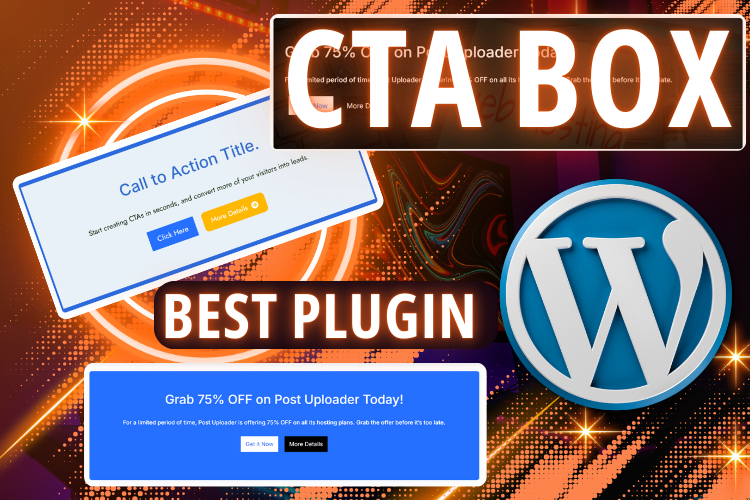
Best WordPress CTA Plugin – Unlock the Power of Call-to-Action!
Watch the Video for a Step-by-Step Guide
(Before diving in, watch this tutorial video to visually understand how to set up and customize your CTA box using the AffiliateX plugin.)
Why Your Website Needs a CTA Box?
The Universe works in perfect harmony with the Law of Attraction, and success flows to those who take inspired action! Just as positive energy attracts positive results, a compelling Call-to-Action (CTA) box magnetizes visitors into engaged customers.
Whether you’re an affiliate marketer, a blogger, or a business owner, a well-placed CTA box ensures that your audience is gently guided toward the next step—be it making a purchase, subscribing, or clicking a valuable link.
Meet AffiliateX – The Best WordPress CTA Plugin!
Gratitude unlocks abundance! And we are incredibly thankful for technology that simplifies our digital lives. The AffiliateX plugin is an absolute game-changer when it comes to adding an engaging and customizable CTA box to WordPress websites.
It empowers website owners with seamless CTA creation, driving higher conversions effortlessly.
How to Add a CTA Box in WordPress Using AffiliateX?
Setting up a CTA box with AffiliateX is as effortless as allowing abundance into your life. Let’s walk through the process with clarity and ease.
Step 1: Install & Activate AffiliateX Plugin
- Navigate to your WordPress Dashboard.
- Click on Plugins > Add New.
- Search for AffiliateX.
- Click Install Now and then Activate.
Once activated, the power of engagement is now at your fingertips!
Step 2: Add a CTA Box to Your Blog Post
- Go to All Posts and choose the post where you want to insert a CTA box.
- After your headline or relevant paragraph, press Enter to add a new block.
- Click on the ‘+’ icon and search for CTA.
- Select the AffiliateX Call-to-Action Block.
- Voilà! Your CTA box is ready for customization.
Step 3: Customize Your CTA Box for Maximum Engagement
AffiliateX provides extensive customization options so you can tailor your CTA to match your brand and resonate with your audience.
Layout Settings
- Choose between Layout 1 (default) or Layout 2 (title, text, button on one side, and an image on the other).
- Note: Layout 2 requires a pro upgrade.
Alignment & General Settings
- Align left, right, or center (Centered CTAs work best for engagement!).
- Enable or disable buttons as needed.
- Add one or two buttons to increase options for user action.
Typography & Design Customization
- Adjust border styles, colors, and thickness.
- Change the button styles – rounded, squared, or with shadows.
- Set font sizes and styles to make your message stand out.
- Modify background colors or use an image to make it visually appealing.
Step 4: Save & Preview Your CTA
- Click Save Draft or Publish.
- View the blog post to see your beautifully crafted CTA box in action!
Your CTA is now fully optimized and ready to guide your visitors toward taking action.
Why Choose AffiliateX Over Other CTA Plugins?
The Law of Attraction teaches us that when we are in alignment with our goals, the best opportunities manifest effortlessly. Here’s why AffiliateX is the perfect CTA plugin for your WordPress site:
| Feature | AffiliateX | Other Plugins |
|---|---|---|
| Easy Drag & Drop | ✅ Yes | ❌ No |
| Pre-Designed Layouts | ✅ Yes | ❌ Limited |
| Customizable Borders & Colors | ✅ Yes | ❌ Limited |
| Multiple Button Options | ✅ Yes | ❌ No |
| Typography & Font Adjustments | ✅ Yes | ❌ No |
| Supports Affiliate Marketing Links | ✅ Yes | ❌ Not Optimized |
“Gratitude in advance is the most powerful creative force in the Universe.” – Wallace D. Wattles
Express gratitude for this plugin, and watch as conversions and engagement skyrocket!
Best Practices for CTA Optimization
To manifest success, follow these golden rules while using the AffiliateX CTA box:
- Make it Eye-Catching – Use contrasting colors to grab attention.
- Use Action-Packed Words – Phrases like “Get Started,” “Try Now,” or “Claim Your Offer” perform well.
- Keep it Short & Direct – Less is more. Keep your CTA clear and compelling.
- Test Different Placements – Try placing the CTA above the fold, within content, and at the end.
- Monitor Performance – Track clicks and conversions to tweak and improve.
Frequently Asked Questions
Conclusion – Time to Take Inspired Action!
Just like in life, action is required to see results. With AffiliateX, you now have a powerful, easy-to-use tool that can significantly boost your website conversions. Implement these strategies, watch the tutorial video, and let the magic unfold!
📌 Subscribe to our YouTube channel for more tutorials: Subscribe Now
📩 Need help with blog post formatting or publishing?
Contact us today: 👉 Get Support
Start using AffiliateX today and manifest greater engagement, sales, and success!


