
Better Blog Formatting. Better Presentation. Better Search Results. Get Started
Facebook LinkedIn WhatsApp YouTube
Post Uploader
  • Home
  • About
    • About Us
    • Leadership Team
    • Awards & Recognition
    • Request Consultation
    • Help & FAQs
    • Careers
    • Contact Us
  • Pricing Plans
  • Services

    Services

    • Blog Formatting & Publishing
    • eCommerce Product Listing
    • Website Content Population
    • AI Workflow Automation
    • Starter Website Package
    • Virtual Assistant Support

    Industries

    • Banking & Finance
    • Sciences & Healthcare
    • Technology & Software
    • Education & Training
    • Hospitality & Leisure
    • Power & Utilities
  • Case Studies
  • Blog
Get in Touch Get in Touch
  • Home
  • Blog
  • Blog Post Formatting Guides
  • How to Create a Product Specification Box with AffiliateX Amazon Affiliate Plugin
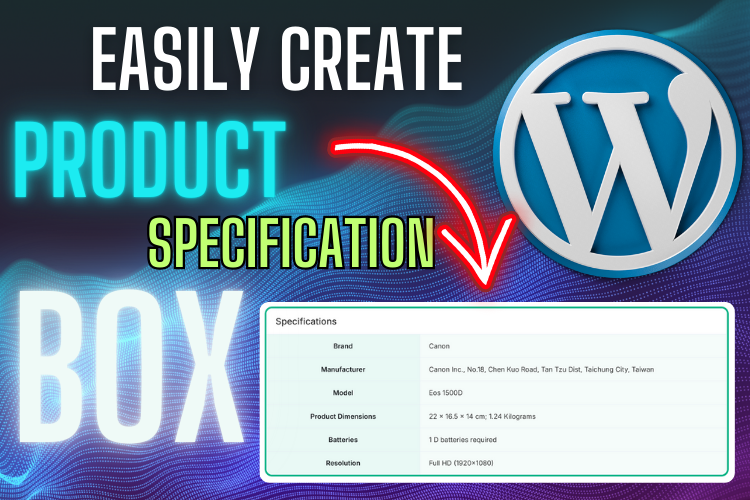
AffiliateX Amazon Affiliate Plugin - How to Create a Specification Box
PostUploader.com
March 14, 2025
Blog Post Formatting Guides
0 Comments:

How to Create a Product Specification Box with AffiliateX Amazon Affiliate Plugin

Are you looking for a seamless way to showcase product details on your WordPress website? Imagine having a beautifully structured product specification box that enhances readability and improves user experience. That’s exactly what AffiliateX Amazon Affiliate Plugin does!

In this guide, I will walk you through the exact steps to create a high-converting specification box for your affiliate blog, eCommerce website, or business page. Let’s dive in!

📌 Watch the YouTube video below for a complete visual walkthrough:

  • Why Use AffiliateX Amazon Affiliate Plugin?
  • Installing the AffiliateX Plugin in WordPress
    • Step 1: Navigate to the Plugin Section
    • Step 2: Install and Activate the Plugin
  • Adding a Specification Box to Your Blog Post
    • Step 1: Open the Post Editor
    • Step 2: Insert the Specification Box Block
  • Customizing the Specification Box
    • Choosing a Layout
    • Editing Specification Labels & Values
    • Adjusting Design Settings
  • Optimizing the Specification Box for SEO & Conversions
    • Use Strategic Headings & Keywords
    • Enhance Clickability
    • Ensure Mobile Optimization
  • Frequently Asked Questions
  • Final Thoughts & Next Steps

Why Use AffiliateX Amazon Affiliate Plugin?

The AffiliateX plugin is a game-changer for Amazon affiliates and bloggers.

Here’s why you should consider it:

✔️ User-Friendly Interface – No coding required!
✔️ Customizable Layouts – Choose from three professional layouts.
✔️ Mobile Responsive – Looks great on all devices.
✔️ SEO Optimized – Enhances content structure for better rankings.
✔️ Increases Click-through Rates (CTR) – Visually appealing design encourages engagement.

With these features, you can boost conversions and present product specifications in a well-structured format.

Installing the AffiliateX Plugin in WordPress

Step 1: Navigate to the Plugin Section

1️⃣ Go to your WordPress dashboard.
2️⃣ Click on Plugins > Add New.
3️⃣ In the search bar, type AffiliateX.

Step 2: Install and Activate the Plugin

1️⃣ Find AffiliateX Amazon Affiliate Plugin in the search results.
2️⃣ Click on Install Now and wait for it to finish.
3️⃣ After installation, hit Activate.

🔔 Pro Tip: If you already have the plugin installed, ensure it’s updated to the latest version for the best performance.

Adding a Specification Box to Your Blog Post

Step 1: Open the Post Editor

1️⃣ Go to Posts > All Posts.
2️⃣ Click Edit on the post where you want to add a specification box.

Step 2: Insert the Specification Box Block

1️⃣ Click on the + (Add Block) icon.
2️⃣ Search for “Specifications” in the block search bar.
3️⃣ Click on AffiliateX Specifications.

🎉 Boom! Your product specification table is now added to the post.

Customizing the Specification Box

The AffiliateX plugin provides several customization options to match your branding and design needs.

Let’s explore:

Choosing a Layout

  • Click on “Layout Settings” (Right Panel).
  • Select from three available layouts:
    • Layout 1 – Clean and simple.
    • Layout 2 – Modern design (Recommended).
    • Layout 3 – Table format.

💡 Choose the layout that best fits your website’s aesthetics.

Editing Specification Labels & Values

1️⃣ Double-click on the default “Specification Text” to rename it (e.g., Product Specs).
2️⃣ Add specification labels (e.g., Brand, Model, Weight, Features) on the left side.
3️⃣ Enter values (e.g., Samsung, Galaxy S23, 150g, 5G Connectivity) on the right side.

Need more rows? Click the “+” icon to add new specification rows!

Adjusting Design Settings

To enhance the look, you can customize:

✔️ Border Colors – Change the border to match your theme.
✔️ Background Colors – Set different colors for titles and specifications.
✔️ Typography – Modify font size and weight for readability.
✔️ Box Shadow & Spacing – Add depth to the specification box.

🛠 Final Touch: Enable or disable title alignment and shadow effects for a polished look.

Optimizing the Specification Box for SEO & Conversions

Use Strategic Headings & Keywords

  • Ensure your specification box matches search intent.
  • Include primary keywords (AffiliateX Amazon Affiliate Plugin) in subheadings.

Enhance Clickability

  • Add a Call-to-Action (CTA) like “Check Latest Price on Amazon”.
  • Insert affiliate links to boost conversions.

Ensure Mobile Optimization

  • Test your specification table on desktop, tablet, and mobile.
  • Adjust width and font sizes for better readability.

💡 Remember: A well-structured specification box reduces bounce rates and improves engagement!

Frequently Asked Questions

AffiliateX is a WordPress plugin designed to create beautiful product specification tables for Amazon affiliate websites. It enhances content readability and improves conversions.

Yes! The plugin is fully compatible with all WordPress themes, including Astra, GeneratePress, and OceanWP.

AffiliateX offers a free version with basic features. For advanced customization, the premium version unlocks additional layouts and styling options.

Absolutely! While it’s designed for Amazon Associates, you can also use it for CJ Affiliate, ShareASale, and other affiliate networks.

To boost CTRs, add:

✔️ Bold Product Features
✔️ High-quality images
✔️ Call-to-Action Buttons

Final Thoughts & Next Steps

The AffiliateX Amazon Affiliate Plugin is a must-have tool for bloggers, affiliate marketers, and business owners who want to showcase products effectively.

✅ Install the plugin today and elevate your affiliate website with beautiful specification boxes!

🎥 Watch the tutorial video above for step-by-step guidance.

📩 Need help with blog formatting and publishing? Contact us here.

📢 Subscribe to our YouTube Channel for More Tutorials! → Click Here

🔥 Now go ahead and create the best product specification box with AffiliateX! 🚀

Share
Prev Post Next Post

Recent Posts

Before vs. After: How Blog Post Formatting Transforms the Same Content
May 19, 2025
Blog Post Formatting Services
Weekly Blog Post Formatting Services: Save Time and Improve Quality
May 4, 2025
how to format a blog post
How to Format a Blog Post Like a Pro: The Ultimate Guide to Presenting Your Blog Beautifully
Apr 9, 2025

Tags

  • Adding Featured Images
  • Add Media and Text in WordPress
  • Add Text Over Images in WordPress
  • AffiliateX Plugin
  • Affiliate X Plugin
  • Blog Engagement
  • blog formatting
  • Blog Formatting Tips
  • Blogging Tips
  • Blog Post Formatting
  • Blog Post Optimization
  • Business
  • classic editor
  • Combine Media and Text in WordPress
  • Digital
  • Funds
  • Gutenberg editor
  • Gutenberg Editor Tips
  • Install Jetpack Plugin
  • Jetpack Features Guide
  • Kadence Block
  • Kadence Blocks
  • Leadership
  • SEO Optimization
  • Tech
  • Text Overlay in WordPress
  • WordPress Blog Optimization
  • WordPress Blog Post Formatting
  • WordPress Blog Tips
  • WordPress Content Management
  • WordPress Customization
  • WordPress Design Without Photoshop
  • WordPress Editing Tips
  • WordPress formatting
  • WordPress Image Upload
  • WordPress Media and Text Block
  • WordPress Plugin
  • WordPress Plugins
  • WordPress SEO
  • WordPress Text Formatting
  • WordPress Tips
  • WordPress Tutorial
  • WordPress tutorials
  • WordPress user roles
  • WordPress without Plugins
PostUploader.com

Post Uploader LLC

75 E 3rd St Sheridan, WY 82801, USA info@postuploader.com +1 (307) 310-2432

We accept payments via
Stripe, including Visa,
MasterCard, American
Express, Discover, and
other major credit and debit
cards.

About

  • Consumers
  • Growth
  • Corporate
  • Business

Services

  • Consumers
  • Growth
  • Corporate
  • Business

Industries

  • Consumers
  • Growth
  • Corporate
  • Business
  • Contact Us
  • Privacy Policy
  • Terms of Service & Refund Policy

©2022 - Post Uploader, All Rights Reserved.

PostUploader
Our specialist team understands the importance of maintaining a lasting relationships with clients to deliver specific investment solutions.
Contact Us

Contact Info

75 E 3rd St Sheridan, WY 82801, USA info@postuploader.com +1 (307) 310-2432
Live Chat
1
Scan the code
Message Us on WhatsApp
Hello,
Welcome to PostUploader.com
May I help with your Blog Post Formatting and Publishing?
Start a Chat

