Better Blog Formatting. Better Presentation. Better Search Results. Get Started

Author: PostUploader.com

How to Copy All Blocks in WordPress Gutenberg Editor

How to Copy All Blocks in WordPress Gutenberg Editor: A Step-by-Step Guide

If you’ve ever struggled with copying multiple blocks in the WordPress Gutenberg editor, PostUploader.com has your back! Our expertise lies in simplifying blog post formatting and publishing. In this tutorial, we’ll explore how to effortlessly copy blocks in WordPress, allowing you to format and replicate your posts with ease. Watch the video below for visual […]
How to use Spotlight Mode in WordPress Gutenberg Editor for blog formatting

How to Use Spotlight Mode in WordPress Gutenberg for Efficient Blog Formatting

With digital content booming, efficient blog formatting has become essential for content creators aiming for higher engagement and streamlined workflows. PostUploader provides expert services in blog post formatting and publishing, helping bloggers and businesses simplify the editing process. If you’re aiming to make your WordPress blog formatting seamless, Spotlight Mode in Gutenberg Editor is a […]
How to Enable Full Screen Mode in Gutenberg Editor

How to Enable Full Screen Mode in Gutenberg Editor: Simplify Your WordPress Workflow

In today’s digital landscape, mastering WordPress and its powerful Gutenberg editor is crucial for creating, formatting, and publishing content efficiently. However, the abundance of options and panels in the admin interface can sometimes feel overwhelming, especially when all you need is a distraction-free environment to focus on writing. Thankfully, Gutenberg offers a convenient Full Screen […]
How to Easily Duplicate WordPress Posts and Pages A Step-by-Step Guide

How to Easily Duplicate WordPress Posts and Pages: A Step-by-Step Guide

Duplicating a post or page in WordPress can be a lifesaver for content creators, allowing them to save time, streamline workflows, and maintain content consistency. Whether you’re using Gutenberg or the classic editor, replicating your existing content lets you jump right into editing without starting from scratch. If you want an efficient and straightforward way […]
Guide to safely granting WordPress user access

How to Safely Grant WordPress User Access: A Complete Guide

Many website owners find themselves needing to give others access to their WordPress site—whether to bring on a content creator, developer, or editor. In this guide, we’ll walk you through the steps of safely granting access, choosing the right permissions, and protecting your website from potential security risks. This approach ensures you can collaborate while […]
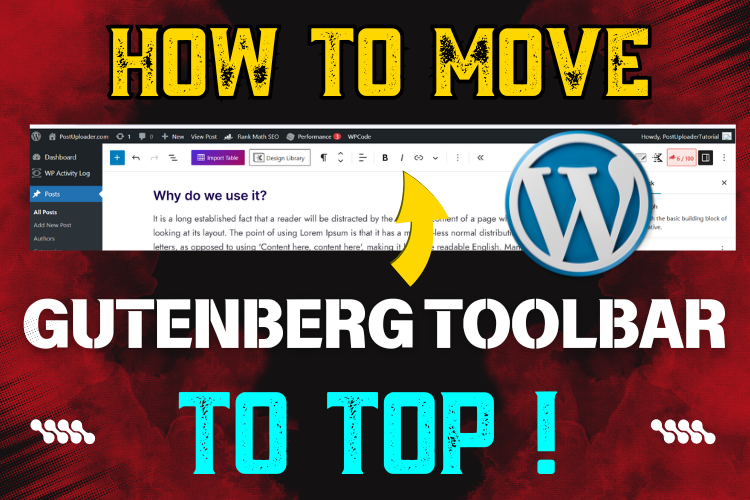
How to Change Gutenberg Toolbar Position to Top in WordPress

How to Change Gutenberg Toolbar Position to the Top for a Smoother WordPress Editing Experience

Welcome to a quick guide on optimizing your WordPress editing workflow by changing the Gutenberg toolbar position to the top. This straightforward trick can make a significant difference, especially if you frequently edit posts in WordPress. By default, the Gutenberg toolbar hovers near the selected text or block, but a top-fixed position offers a more […]
Adding quotes and pull quotes in WordPress using Gutenberg and Classic editors

How to Add Quotes and Pull Quotes in WordPress: A Guide for the Gutenberg and Classic Editors

Learn how to add quotes and pull quotes in WordPress using both the Gutenberg and Classic editors. This step-by-step guide will help you format quotes beautifully to create engaging, professional blog posts. Quotes add a unique flair to blog posts, drawing readers’ attention to significant ideas and adding a professional touch to your content. Both […]
How to Add Nofollow, Dofollow, and Sponsored Links in WordPress (Gutenberg & Classic Editor)

How to Add No-Follow, Do-Follow, and Sponsored Links in WordPress for Better SEO

In today’s digital landscape, linking has become an essential SEO strategy. By using no-follow, do-follow, and sponsored links effectively, websites can improve their ranking, enhance authority, and maintain transparency with search engines like Google. This guide will walk you through every step for adding these types of links in both Gutenberg and Classic WordPress editors, […]
Styling code text in WordPress without plugins

How to Style Code Text in WordPress Without Plugins: A Step-by-Step Guide

In today’s blog landscape, distinguishing content is crucial for readability and aesthetics. For WordPress users, formatting text to resemble coding syntax can make technical content more digestible, visually distinct, and easier to navigate. Let’s dive into the exact steps to style code text in WordPress, without relying on any plugins or custom CSS! Follow along […]
Formatting text in WordPress blog editor – bold, italic, underline

Text Formatting in WordPress: Bold, Italic, and Underline with Gutenberg and Classic Editors

In the world of blogging, small details make a big difference, especially when it comes to text formatting. Whether you’re aiming to highlight a point or enhance readability, using bold, italic, and underline text in WordPress can be incredibly effective. Today, we’ll dive into the essentials of formatting text in WordPress using the Gutenberg and […]
Hiring the Right Blog Post Formatting Expert- Key Skills & Tips

Why Hiring a Blog Post Formatting Expert Will Boost Your Content Quality

In today’s competitive digital landscape, high-quality content isn’t just about great writing. It’s about making that content easy to read, visually engaging, and optimized for both readers and search engines. This is where a Blog Post Formatting Expert can be a game-changer, transforming your blog from simply informative to truly impactful. “Content is king, but […]
Embedding Twitter post in WordPress blog using Gutenberg and Classic editors

Embedding Twitter Posts in WordPress: The Ultimate Guide

In today’s fast-paced digital world, social media integration has become vital for engaging content. Embedding Twitter posts in WordPress blogs can bring an interactive element to your site, showing your readers real-time updates and social interactions. Let’s dive into how you can embed a Twitter post effortlessly in WordPress, whether you’re using the Gutenberg editor […]
Creating Password Protected WordPress Posts and Pages

How to Create Password Protected WordPress Posts and Pages: A Complete Guide

Creating password-protected WordPress posts and pages allows you to control who can access certain content on your site. Whether you’re managing sensitive data, creating private client pages, or offering exclusive content, WordPress’s built-in password protection provides a simple yet effective solution. In this guide, we’ll walk through step-by-step instructions for both Gutenberg and Classic editors, […]

#2 Productivity risen with remote working, but worker trust may pose a larger challenge!

We are a consulting firm with over 29 years of experience in all industries, supporting their financial growth. We also offer expert guidance, unlocking your potential for growth and profitability that helps proof our business investment and ensuring success in our mission as business advisors! Our specialist team of consultants understands the importance of maintaining […]
Guide to creating anchor links on the same page with WordPress editors

How to Create Anchor Links on the Same Page with WordPress Editors

In the world of blogging, creating seamless navigation within a post can make a world of difference to readers. With effective internal links, you can guide users to specific sections within a blog, making it easier for them to access content they’re interested in. This tutorial will walk you through the step-by-step process of adding […]
How to create blog post thumbnails using Canva

Create Blog Thumbnails Easily with Canva | A Simple Step-by-Step Guide

If you’ve ever scrolled through a blog, chances are the first thing that caught your eye was the thumbnail. These small yet significant images can make or break your content’s first impression. A compelling thumbnail can entice visitors to click on your post, and today, I’m going to walk you through the steps of creating […]
How to add JavaScript to WordPress blog header, footer, and body

How to Add JavaScript to Your WordPress Blog Without Coding: A Simple Guide

Running a successful WordPress blog often involves adding custom code for better functionality—be it Google Analytics, Facebook Pixels, AdSense scripts, or any third-party widgets. But what if you’re not a coder? The thought of editing your theme’s core files might sound intimidating. Luckily, there’s an easier way, and I’m here to show you how to […]
How to embed Facebook post in WordPress without plugins

How to Embed Facebook Posts in WordPress Without Plugins: Easy Step-by-Step Guide

Embedding social media posts in WordPress is a powerful way to make your blog more engaging. One of the most sought-after integrations is embedding Facebook profile posts and Facebook page posts into WordPress. But here’s the catch: many tutorials ask you to install plugins, use complex coding, or deal with cumbersome interfaces. What if I […]
How to embed PDF in WordPress without plugin

How to Embed PDF in WordPress Without a Plugin (Step-by-Step Guide)

Embedding a PDF file into your WordPress blog post can significantly enhance your content by providing downloadable resources, guides, or forms for your readers. The good news? You don’t need to rely on plugins to get this done! In this guide, I’ll walk you through the entire process, breaking it down step-by-step to show you […]
WordPress Gutenberg vs Classic Editor Switching Guide

How to Switch from WordPress Gutenberg Editor to Classic Editor: A Step-by-Step Guide

If you’re a WordPress user, you may have come across the newer Gutenberg block editor, introduced with WordPress 5.0. While it’s packed with modern features and flexibility, not everyone is a fan. In fact, many users still prefer the simplicity and familiarity of the Classic Editor. Whether you’re one of those users or just want […]
Creating SEO-friendly meta titles and descriptions for Google search

SEO Meta Title and Description Guidelines: A Complete How-To

In the world of SEO, mastering the art of crafting the perfect meta title and description can set your content apart, ensuring it gets the visibility it deserves on search engines like Google. In today’s post, we’ll guide you through the step-by-step process of creating meta titles and descriptions that adhere to pixel limits for […]
How to backdate WordPress posts, tutorial guide

How to Backdate WordPress Posts Easily: Step-by-Step Guide

Learn how to backdate WordPress posts easily in this detailed guide using both Gutenberg and Classic editors, perfect for bloggers looking to manage content timelines effectively. Backdating blog posts in WordPress is a surprisingly effective technique for many bloggers and content creators. Whether you’re looking to organize your posts chronologically, repurpose evergreen content, or simply […]
Step-by-step guide to using shortcode in WordPress for YouTube video embedding and contact forms

Mastering WordPress Shortcodes: Embedding YouTube Videos & Contact Forms

When managing a WordPress site, shortcodes are a powerful feature that can save you time and simplify how you display elements on your pages and posts. In this tutorial, we’ll walk you through the steps to embed YouTube videos and contact forms using shortcodes. Shortcodes are snippets of code you insert into your content to […]
Adding auto-scrolling text to WordPress site with custom HTML

How to Add Scrolling Text to WordPress Blog: A Step-by-Step Guide

Adding a scrolling text bar or news ticker to your WordPress site is an excellent way to share important announcements, promotions, or news updates with your readers in a dynamic way. In this guide, we’ll walk you through the process of embedding a scrolling text bar using simple HTML code. Whether you want text scrolling […]
PostUploader
Our specialist team understands the importance of maintaining a lasting relationships with clients to deliver specific investment solutions.
Contact Us